As an Amazon Associate, we earn from qualifying purchases. Check the exact model, seller, condition, delivery and current price before ordering.
- Is the Celestron StarSense Explorer good?
- How StarSense Explorer works
- Every StarSense Explorer model compared
- Which StarSense Explorer should you buy?
- StarSense Explorer DX 130AZ: who it fits
- StarSense Explorer 8-inch Dobsonian: who it fits
- StarSense Explorer LT 114AZ: who it fits
- StarSense Explorer LT 80AZ: who it fits
- StarSense Explorer DX 102AZ: who it fits
- StarSense Explorer 10-inch Dobsonian: who it fits
- Is the StarSense Explorer LT 127AZ worth it?
- What is the difference between StarSense LT and DX?
- What can you see with a StarSense Explorer?
- How to set up the StarSense app and align your phone
- StarSense app won't align? Common problems and fixes
- Other StarSense Explorer models (and the AutoAlign mix-up)
- StarSense Explorer vs a GoTo telescope
- Frequently asked questions
Celestron's StarSense Explorer telescopes are manual telescopes with a phone dock. The StarSense Explorer app reads the stars through your phone's camera, works out where the tube is pointing, and shows arrows until the object sits in the eyepiece. They are a good choice if finding things is what worries you, and a poor one if you want motors that track or photograph the sky for you.
Which one to buy: for a first telescope on a tripod, start with the DX 130AZ, which has the largest mirror of the tripod models. If you can store and lift a 43 lb telescope, the 8-inch StarSense Dobsonian gathers about 2.4 times as much light with the same kind of phone guidance.
This review is built from Celestron's product pages and StarSense Explorer app manual, dealer spec sheets (High Point Scientific, Mena Optics), independent reviews in Space.com, Digital Camera World, AstroBackyard and High Point's own staff review, and Amazon US stock checks on October 28, 2026. We have not tested these telescopes ourselves.
Is the Celestron StarSense Explorer good?
Yes, for the job it was designed for. The app solves the hardest part of a first telescope, which is pointing it at something you cannot see with your eyes. Here is what the reviews we read found it does well, and where it stops.
- Good: no star alignment to learn, no batteries in the telescope, a list of tonight's best objects, and a green bullseye when the target is in your low-power eyepiece. High Point's reviewer found 15 objects in under 15 minutes with the 8-inch Dob under light-polluted (Bortle 7) skies.
- Not good: no motors, so you follow objects by hand. Your phone stays in the dock all night and its battery drains, faster on cold nights according to Digital Camera World. The DX 130AZ (26x and 65x) and the Dobsonians (one 25mm eyepiece) ship without a high-power eyepiece.
- Who it suits: beginners, families and anyone who gave up on star charts, as long as they own a phone the current app supports.
- Who should skip it: anyone who wants astrophotography beyond quick Moon shots, or who wants a telescope that tracks on its own. Look at a GoTo telescope or one of the smart telescopes instead.
How StarSense Explorer works
StarSense is Celestron's sky-recognition system. A bracket on the tube holds your phone over a small angled mirror, so the phone's camera looks at the sky beside the telescope. Celestron says the app uses a "Lost in Space Algorithm" (LISA), the same kind of star-pattern matching satellites use to orient themselves, instead of relying only on the phone's gyroscope and accelerometer.
You pick an object from the planetarium view or the "Tonight's Best" list. Arrows show which way to push the tube, and the bullseye turns green when the object is centered in your low-power eyepiece. The mount has no motors. Once you find a planet, you keep it in view with the slow-motion knobs as the sky drifts.
The app was built with Simulation Curriculum, the maker of SkySafari, according to UK retailer Picstop. It is a free download, and the code in the telescope box unlocks it; AstroBackyard reports that one code unlocks five devices. Every model also has a StarPointer red dot finder, so the telescope still works if the phone or app does not.
Every StarSense Explorer model compared
These are the seven StarSense Explorer telescopes we found sold new on Amazon US on October 28, 2026. Specs come from Celestron's product pages where we could open them, and from Celestron's spec sheets as published by High Point Scientific and Mena Optics. The magnification ceiling is the usual rule of thumb of about 50x per inch of aperture, reached only on very steady nights.
| Model | Type | Aperture / focal length | Mount | Eyepieces in the box | Total weight | Rule-of-thumb max |
|---|---|---|---|---|---|---|
| LT 80AZ | Refractor | 80mm / 900mm (f/11) | LT alt-az, slow-motion rod | 25mm, 10mm, 2x Barlow, erect-image diagonal | 9.2 lb | about 160x |
| LT 114AZ | Reflector | 114mm / 1000mm (f/9) | LT alt-az, altitude slow-motion rod | 25mm, 10mm, 2x Barlow | 10.4 lb | about 225x |
| LT 127AZ | Reflector | 127mm / 1000mm (f/7.87) | LT alt-az, altitude slow-motion rod | 25mm, 10mm, 2x Barlow | 11.4 lb | about 250x |
| DX 102AZ | Refractor | 102mm | DX alt-az, geared slow motion on both axes | 25mm, 10mm, erect-image diagonal | 14.2 lb | about 200x |
| DX 130AZ | Reflector | 130mm / 650mm (f/5) | DX alt-az, slow-motion controls | 25mm, 10mm | 18 lb | about 255x |
| 8-inch Dobsonian | Reflector | 203mm / 1200mm (f/5.9) | Dobsonian base | 25mm Plossl | 43.4 lb | about 400x |
| 10-inch Dobsonian | Reflector | 254mm / 1200mm (f/4.7) | Dobsonian base | 25mm Plossl | 54.8 lb | about 500x |
Weights are the whole kit (tube plus tripod or base) from Celestron and dealer spec sheets. The LT 127AZ on Amazon is sold as a bundle that adds a Moon filter, a Moon map and a phone adapter. We could not open a Celestron page that gives the DX 102AZ's focal length, so the table leaves it out.
Which StarSense Explorer should you buy?
Choose by where the telescope will live and who will carry it, then by aperture. More aperture shows fainter galaxies and more planet detail, but every step up adds weight.
- A first telescope for an adult or teen, on a tripod: the DX 130AZ. It has the most light-gathering of the tripod models, and its 9.2 lb tripod is more than twice the weight of the LT models' 3.8 lb tripods.
- You want the most to see and have a garage or ground-floor room: the 8-inch Dobsonian. It weighs 43.4 lb but splits into a tube and a base.
- Light weight and Moon and planet views: the LT 114AZ, with a long f/9 focal length and a Barlow in the box.
- A younger child, or daytime views of birds and landscapes too: the LT 80AZ, the lightest kit at 9.2 lb, with an erect-image diagonal so the view is upright.
- A refractor with no mirrors to align: the DX 102AZ, on the DX mount.
- Dark skies and a strong back: the 10-inch Dobsonian, the largest mirror here.
- A gift that arrives with extras: the LT 127AZ bundle.
Our best telescopes for beginners guide includes StarSense models alongside non-app telescopes, and the best telescopes for kids guide covers the LT 80AZ and DX 130AZ by age.
StarSense Explorer DX 130AZ: who it fits
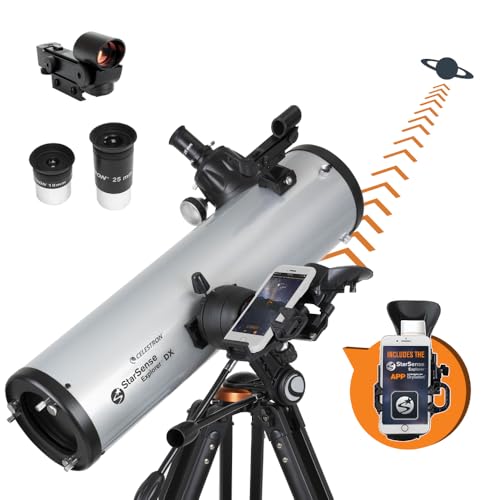
Who it fits: a beginner who wants one telescope that shows planets, the Moon and the brighter nebulae and galaxies, and can still go in a car. The DX 130AZ is a 130mm (5.1-inch) Newtonian reflector with a 650mm focal length (f/5), on an alt-azimuth mount with slow-motion controls and a CG-5-style saddle. High Point lists the tube at 8.8 lb and the tripod at 9.2 lb.
The short f/5 tube gives wide, bright views. Digital Camera World's reviewer saw the Orion Nebula, the Beehive Cluster and the M35 cluster "with plenty of detail and contrast", and Space.com's reviewer called the views "clear, crisp and contrasty".
The catch is the eyepieces. The 25mm and 10mm give 26x and 65x, and Space.com's reviewer says planet detail needs at least 150x, so plan on a Barlow lens or a short eyepiece. Like every reflector, it also needs occasional collimation (lining up the mirrors), which both reviews flag as a learning step for beginners. Our 130mm telescope guide shows what this aperture reaches.
Check the DX 130AZ on Amazon →
StarSense Explorer 8-inch Dobsonian: who it fits
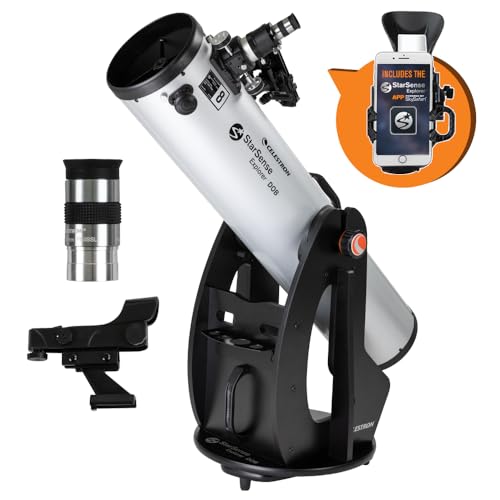
Who it fits: a family or adult beginner with a place to store it on the ground floor, who wants faint galaxies, globular clusters and planetary nebulae as well as the Moon and planets. It is a 203mm Newtonian with a 1200mm focal length (f/5.9). The tube weighs 20.6 lb and the base 22.8 lb, according to High Point's spec sheet.
The box holds a 25mm Plossl eyepiece (48x), a 2-inch Crayford focuser with a 1.25-inch adapter, an eyepiece rack, a collimation cap, the StarSense dock and its code. AstroBackyard's Trevor Jones assembled the base in about 30 minutes. With the base already built, High Point's reviewer had it set up and the phone aligned in about three minutes, and found 15 deep-sky objects in under 15 minutes, including the Hercules Cluster (M13). Later the same night they also picked out the Ring Nebula (M57).
With one eyepiece in the box, a 10mm or a Barlow is the first purchase. Read which Dobsonian size to get if you are torn between 8 and 10 inches, and how to use a Dobsonian for the first night.
StarSense Explorer LT 114AZ: who it fits
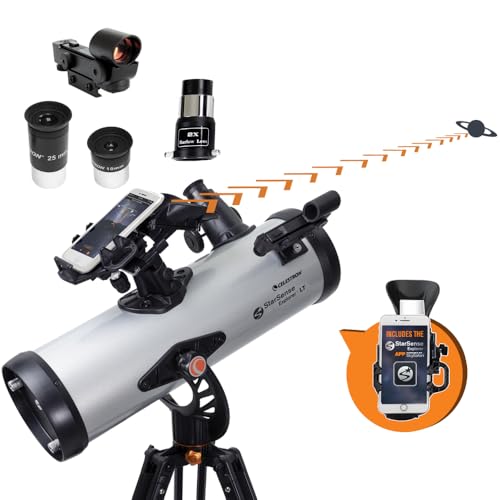
Who it fits: a beginner who mostly wants the Moon, Jupiter and Saturn and needs a light kit. The LT 114AZ is a 114mm Newtonian with a 1000mm focal length (f/9). With the included eyepieces and 2x Barlow it gives 40x, 80x, 100x and 200x.
Space.com's reviewer liked the app navigation and the high magnification for the Moon and planets, but found the bearings stiff, the mount prone to recoil and some false color on bright objects. Celestron's LT mount has an altitude slow-motion adjustment with a sliding rod; for side-to-side moves you push the tube. See what a 114mm telescope shows.
StarSense Explorer LT 80AZ: who it fits
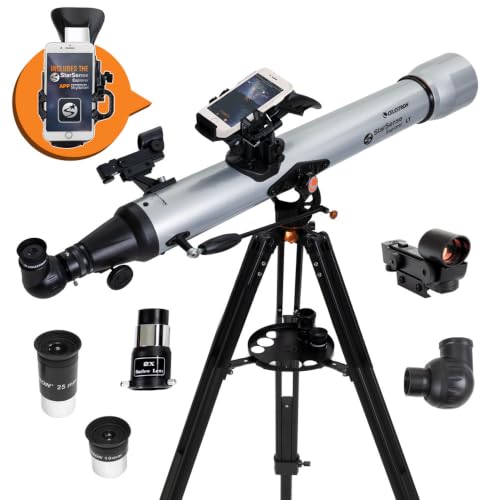
Who it fits: a child with a parent nearby, or anyone who wants a telescope that also works for birds and landscapes. It is an 80mm doublet refractor with a 900mm focal length (f/11), with 25mm and 10mm eyepieces (36x and 90x) and a 2x Barlow, per High Point's spec sheet.
A refractor has no mirrors to collimate, and the f/11 focal ratio suits the Moon, planets and double stars. Galaxies stay faint at 80mm. Read what an 80mm refractor shows before you choose it over a reflector.
StarSense Explorer DX 102AZ: who it fits
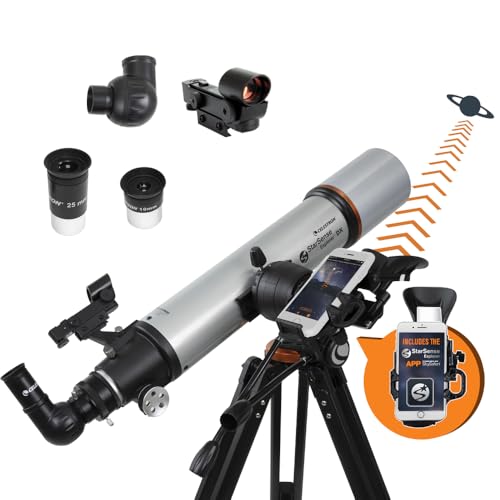
Who it fits: someone who wants a refractor's low-maintenance optics on a heavier mount than the LT line. Celestron describes the DX mount on this model as having slip clutches and geared slow-motion controls on both axes, on a full-height tripod with an accessory tray.
It ships with 25mm and 10mm eyepieces and a 90-degree erect-image diagonal for daytime use. Celestron says it shows Jupiter's cloud bands and Great Red Spot, Saturn's rings and the Trapezium in the Orion Nebula, and that the Andromeda Galaxy and the Hercules Cluster are within reach from darker skies. Our 100mm refractor guide has more on this size.
StarSense Explorer 10-inch Dobsonian: who it fits
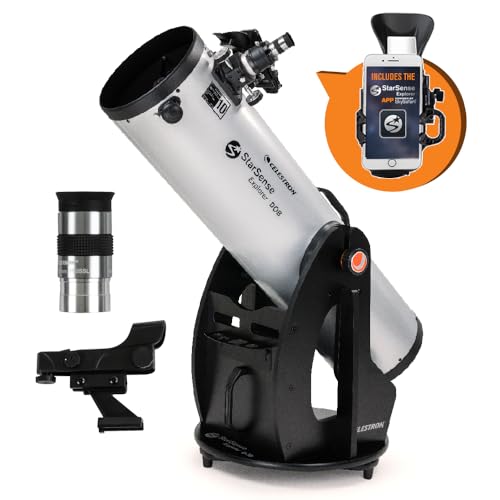
Who it fits: an observer with darker skies and a short carry from storage to the yard. It is a 254mm Newtonian with a 1200mm focal length (f/4.7). High Point lists the tube at 29.2 lb and the whole telescope at 54.8 lb, with a 25mm Plossl, a Crayford focuser, a collimation cap and the StarSense dock and code in the box.
Like every reflector, it needs collimation from time to time, and AstroBackyard, reviewing the 8-inch, notes that a laser collimator may help and is not included; see our laser collimator guide. Compare it with other large Dobs in our best Dobsonian telescopes list.
Is the StarSense Explorer LT 127AZ worth it?
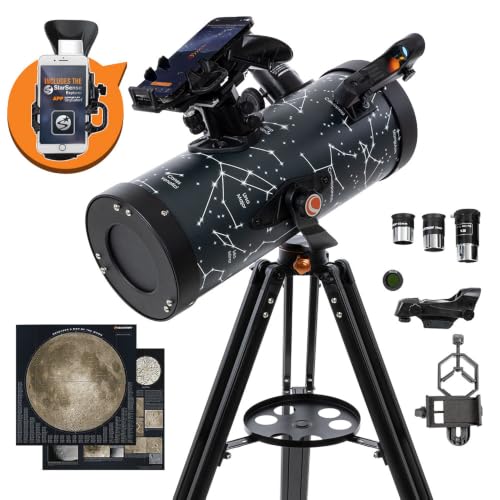
Who it fits: a gift buyer who wants a complete kit with more aperture than the LT 114AZ. The LT 127AZ is a 127mm Newtonian with a 1000mm focal length (f/7.87) and an 18-inch tube, per Celestron's spec text as published by Mena Optics. The kit weighs about 11.4 lb (tube 7.6 lb, tripod 3.8 lb).
The Amazon listing we read on October 28, 2026 is a bundle that adds a Moon filter, a Moon map and a smartphone adapter. The listing describes its mount the same way Celestron describes the LT 114AZ's, with an altitude slow-motion adjustment on a sliding rod, so read Space.com's notes on the LT 114AZ's stiff, recoiling mount before you choose it. The Moon filter helps near full Moon; our guide to telescope filters explains when to use it.
What is the difference between StarSense LT and DX?
Both lines use the same StarSense Explorer app; in Celestron's descriptions, the difference is the mount and tripod. On the LT 114AZ, Celestron lists a simple alt-azimuth mount with an altitude slow-motion adjustment on a sliding rod. On the DX 102AZ, it lists slip clutches and geared slow-motion controls on both axes. Dealer specs show the difference in the tripods too, at 3.8 lb for the LT models we checked and 9.2 lb for the DX 130AZ.
A heavier tripod damps vibration when you focus at high power, and geared knobs on both axes make it easier to follow a planet. If the telescope will be carried by a child or packed for travel, the LT's lighter weight matters more.
What can you see with a StarSense Explorer?
From a city, Celestron says the StarSense Explorer can show Jupiter, Saturn, Venus, the Orion Nebula, double stars and a few of the brightest deep-sky objects. From darker skies, Celestron says the Andromeda Galaxy and the Hercules Cluster come within reach of the 4-inch DX 102AZ and the 4.5-inch LT 114AZ.
- The Moon: craters along the terminator, with any model. Near full Moon, a Moon filter cuts the glare.
- Planets: Saturn's rings and Jupiter's moons with any of these telescopes. For finer detail, Space.com's DX 130AZ reviewer suggests at least 150x, so use the 10mm eyepiece with a Barlow lens.
- Star clusters: the Pleiades and Beehive in the low-power eyepiece; globular clusters such as M13 resolve into stars with the Dobsonians.
- Nebulae and galaxies: mostly grey glows, not the colors in photos. More aperture and darker skies help far more than more magnification.
The app's "Tonight's Best" list filters what is up from your location, which is the quickest way to plan a session. See telescope magnification explained for how eyepiece choice changes the view.
How to set up the StarSense app and align your phone
Do this in daylight the first time. These steps follow Celestron's StarSense Explorer app manual.
- Install the StarSense Explorer app and enter the unlock code from the box. AstroBackyard noted a download of nearly 500 MB in 2022, so do it on Wi-Fi before you go out.
- Put the low-power (25mm) eyepiece in the telescope.
- Place your phone in the StarSense dock. Turn the knobs at the bottom of the bracket until the phone's camera view is centered, and unobstructed, in the dock's mirror.
- Point the telescope at something at least a quarter-mile away. Celestron suggests a streetlight, a car license plate, a stop sign or the top of a tree.
- Center it in the eyepiece, then slide the camera view in the app until the same object sits in the crosshairs.
- At night, tap the StarSense icon. If the phone has left the dock since you aligned, choose "Needs Alignment" and repeat the alignment.
- Pick an object, follow the arrows, then stop and wait a few seconds so the app can read the stars. Yellow means it sees stars but you are not there yet; green means the object is in the eyepiece.
StarSense app won't align? Common problems and fixes
The failures described in reviews, reader comments and Celestron's app manual come down to two things. Either the camera cannot see clean stars, or the phone's view no longer matches the eyepiece. Here is each one with its fix.
- The bullseye stays red. The app cannot read the sky. AstroBackyard names clouds, a sky that is still too bright, a bright Moon, something shining into or blocking the mirror, dew on the mirror, and a phone that is not centered over the dock as the usual causes. Wait for darker skies, wipe the mirror and re-center the camera with the bracket knobs.
- The bullseye is green but the object is not in the eyepiece. The phone-to-telescope alignment is off, usually because the phone moved. Redo the daytime alignment on a target at least a quarter-mile away, with the 25mm eyepiece, not the 10mm.
- Everything was fine, then it drifted. Taking the phone out to take a photo or answer a call can break the alignment. Digital Camera World's reviewer found they could not take the phone out for a quick photo, and Celestron's manual says to re-align after the phone leaves the dock.
- Reflections or a dark patch in the camera view. AstroBackyard traced reflections to light bouncing off a shiny phone case into the mirror. Try the phone without its case. If your model came with a dock cover, keep it on between sessions to keep the mirror clean.
- The camera will not open, or the app will not install. Update the app first. One Simulation Curriculum community thread, which we could read only by its title, reports that the camera would not open for alignment on an iPhone 15 (iOS 17.6.1) and names updating to the latest version as the solution. On October 28, 2026, Celestron listed Android 12 and later and iOS 18 and later (iPhone XR and newer) as compatible, and said older phones keep working but cannot reinstall the app once it is removed. Some older reviews still quote Android 7.1.2 and iPhone 6.
- The app fails to find your location. Turn on location services for the app. One AstroBackyard reader reported in April 2023 that a Pixel 6a aligned but could not find its location, and planned to try an older phone; check Celestron's compatibility list before buying.
- An object near the top of the sky is missing from the list. AstroBackyard notes that objects above about 70 to 75 degrees are left out of "Tonight's Best", because they are hard to reach near the zenith.
- The phone dies mid-session. The app runs the camera constantly. Charge the phone fully and bring a small power bank; Celestron's spec text recommends one.
- A tablet will not fit. The dock is sized for phones, per AstroBackyard.
- The view is blurry even when the app says you are there. Refocus first. On the reflectors, check collimation with the collimation cap or a laser collimator. If the red dot finder is off too, our red dot finder fix walks through it.
If none of this works, Celestron's technical support page is the next stop; the telescope itself has no electronics to reset.
Other StarSense Explorer models (and the AutoAlign mix-up)
Celestron and dealer pages in search results on October 28, 2026 also list StarSense Explorer tabletop Dobsonians (114mm, 130mm and 150mm), DX 5-inch and DX 6-inch Schmidt-Cassegrains and a DX 100AZ Lunar Edition refractor. We did not check their Amazon listings, so they have no cards here.
Celestron's StarSense AutoAlign is a different product, a camera accessory that aligns computerized GoTo mounts such as the NexStar Evolution. Our StarSense AutoAlign review covers it.
StarSense Explorer vs a GoTo telescope
A GoTo telescope has motors that slew to the object and track it; a StarSense Explorer has you push the tube and turn the knobs yourself. With StarSense there are no telescope batteries and nothing to align on stars, but the telescope does not track for you. For a motorized option of a similar size, read our NexStar 130SLT review, and see whether computerized telescopes suit beginners.
If you are still deciding on a brand, our Celestron vs Sky-Watcher comparison sets the two brands side by side, and telescopes with a phone app compares StarSense with Wi-Fi GoTo models.
Frequently asked questions
Which Celestron StarSense telescope is best?
For a tripod telescope, the DX 130AZ, which has the largest mirror of the tripod models and a heavier tripod than the LT line. For more light in a telescope that still splits into two pieces to carry, the 8-inch StarSense Dobsonian (the 10-inch splits too, but is heavier). For a light kit for the Moon and planets, the LT 114AZ.
Is the Celestron StarSense Explorer good for beginners?
Yes. The app replaces star charts and finder alignment, and reviewers at Space.com, Digital Camera World and AstroBackyard found it worked well once the phone was aligned to the telescope. It does not track objects, so you follow them with the slow-motion knobs.
Is the Celestron StarSense app free?
The app is a free download. Full use needs the unlock code included with every StarSense Explorer telescope, and AstroBackyard reports that one code unlocks five devices.
Is the Celestron StarSense Explorer LT a good telescope?
The LT models are light and simple. Space.com liked the LT 114AZ's app navigation and high magnification for the Moon and planets, but found its mount stiff with some recoil. The DX models have heavier tripods, and Celestron lists geared slow-motion controls on both axes for the DX 102AZ.
What can you see with the StarSense Explorer LT?
The Moon's craters, Jupiter's moons and cloud bands, Saturn's rings, double stars, and bright clusters and nebulae such as the Pleiades and the Orion Nebula. Galaxies such as Andromeda need darker skies.
Does the StarSense Explorer work without a phone?
Yes. Every model has a StarPointer red dot finder, so you can aim it by eye like a regular manual telescope. You lose the guided arrows and the object list.
Why won't my StarSense Explorer app align?
Usually the camera cannot see clean stars (clouds, twilight, a bright Moon, dew or a reflection in the mirror) or the phone moved in the dock. Re-center the camera with the bracket knobs, redo the daytime alignment on a distant object, and update the app.
Can you take pictures with a StarSense Explorer?
Only simple ones. You can hold a phone to the eyepiece for the Moon and bright planets, but removing the docked phone breaks the alignment. These are visual telescopes, not astrophotography setups.
Can you see planets with a Celestron StarSense Explorer?
Yes. Every model shows Saturn's rings and Jupiter's moons. For finer planet detail, Space.com's DX 130AZ reviewer suggests at least 150x, which on the DX 130AZ and the Dobsonians means adding a shorter eyepiece or a Barlow lens.
Is the StarSense Explorer the same as StarSense AutoAlign?
No. StarSense Explorer uses your phone on a manual telescope. StarSense AutoAlign is a separate camera accessory for Celestron's computerized GoTo mounts.